How to Find the Minecraft Map Seed of Your World
Fortunately, finding your own Minecraft map seed is quite easy. The process differs a little on Bedrock and Java editions, but it’s still a piece of cake. So, to find out the seed code of your world, follow the steps below:
Bedrock Edition
Open the Minecraft world you want the seed code of. Pause the game, then click on Settings. You will find the Minecraft map seed of your world under the Game tab.
Java Edition
While inside the Minecraft world, press T to open chat. Type in the seed command, which is /seed, and press Enter. This will reveal the map seed. Now, press T again, hover over the green code, and click to copy it. The seed command works in any game mode.
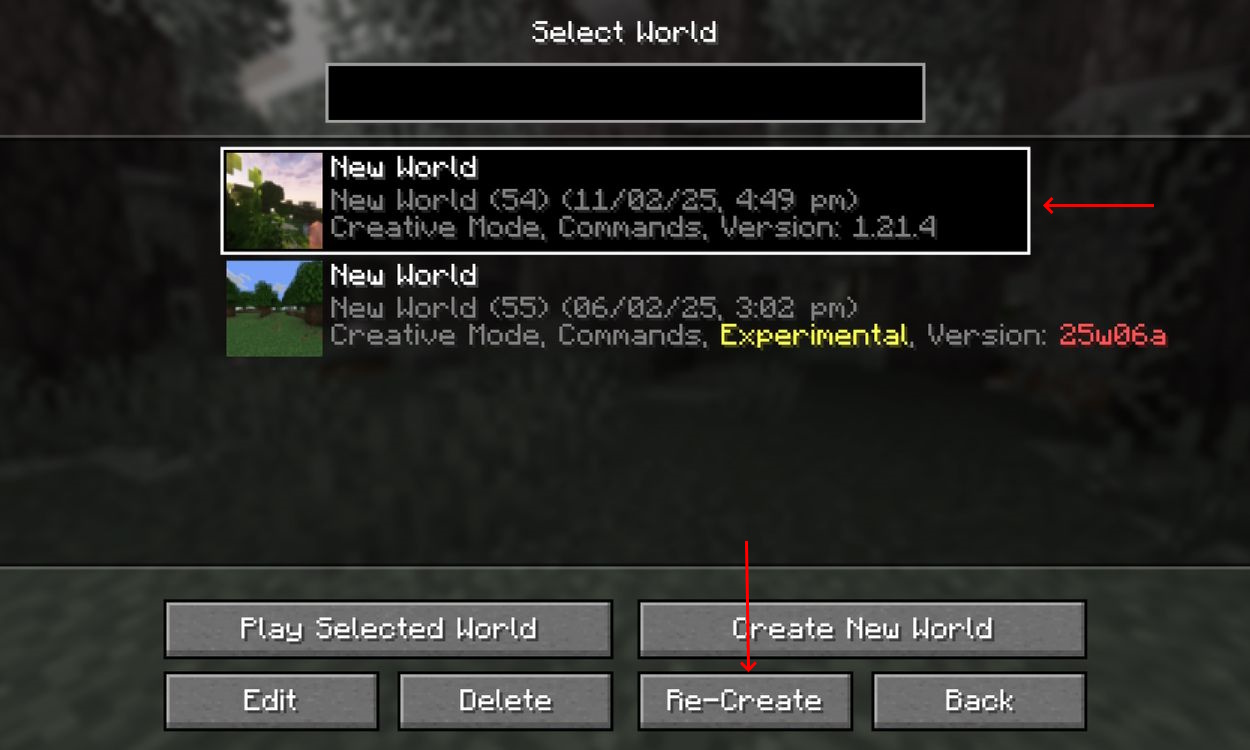
Moreover, you can also see the seed code of a world when you select a world in the world selection menu and then click on the Re-Create button. Access the World options, and the seed code will be displayed there. And there we go, everyone. Now you know how to view the seed code of your Minecraft world map on both versions of the game. Map seed code is critical, as it lets you use a tool to view different locations in your world easily. So, what are some of the most wonderful seeds you came across during your adventures? Let us know in the comments below! Name Email ID
Δ